|


|


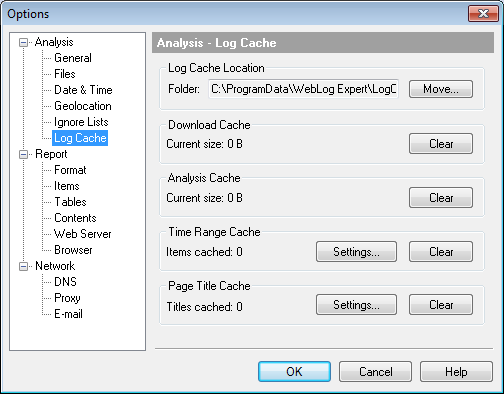
The program supports download, analysis results, time range and page title caches. You can change their location by specifying another log cache folder. ·Download cache. This cache is used to store previously downloaded log files. Every time the program needs to download a file, it first checks whether this version of the file is already in cache. It checks not only the name of the file but also it's size and date to determine whether the file has been modified since the last download. ·Analysis cache. The cache contains saved analysis results. See Analysis Cache for more information. ·Time range cache. The time range cache contains information on time ranges of previously analyzed log files. The program uses this cache to quickly determine if it is necessary to analyze a file when some time range is specified in the profile properties. The cache contains information on size and date of each cached file, so the program checks if a log file hasn't been changed and it is possible to use the cached time range without reanalyzing the file. ·Page title cache. This cache contains retrieved page titles. You can enable page title retrieval in Profile Properties > General.
| |||