You can set report
contents either in the program options so that it affects all the
profiles that don’t have custom report contents settings, or in the
profile properties for a specific profile only.
 The program shows top 50
items per table by default but you can change this number (up to
10000) in the program options or profile properties (see
below).
The program shows top 50
items per table by default but you can change this number (up to
10000) in the program options or profile properties (see
below).
|
Use
to specify settings that will be used
in all tables and charts in all profiles unless they have custom
report contents settings.

|
|
Use
to specify settings that will be used
in all profiles unless they have custom report contents
settings.

Select an
item and double click it or click the Properties
button to change its properties. You
can also check and uncheck items, as well as change properties of
all items using the Change All command.
|
|
Use
to specify settings that will be used in the
edited profile only.
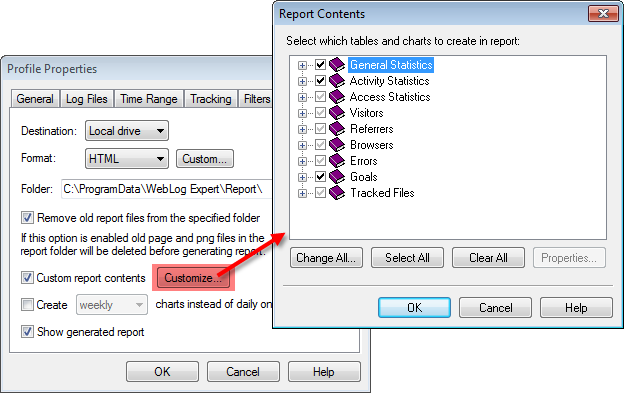
Select an
item and double click it or click the Properties
button to change its properties. You
can also check and uncheck items, as well as change properties of
all items using the Change All command.
|


